Gamma 5 Free Plan Review: I Turned One of My Articles Into a 10-Slide Deck
I pasted a real test write-up into Gamma 5 on the free plan, in English and in Chinese, then checked every slide against the source, fixed one through the agent and opened the PPTX export in PowerPoint.
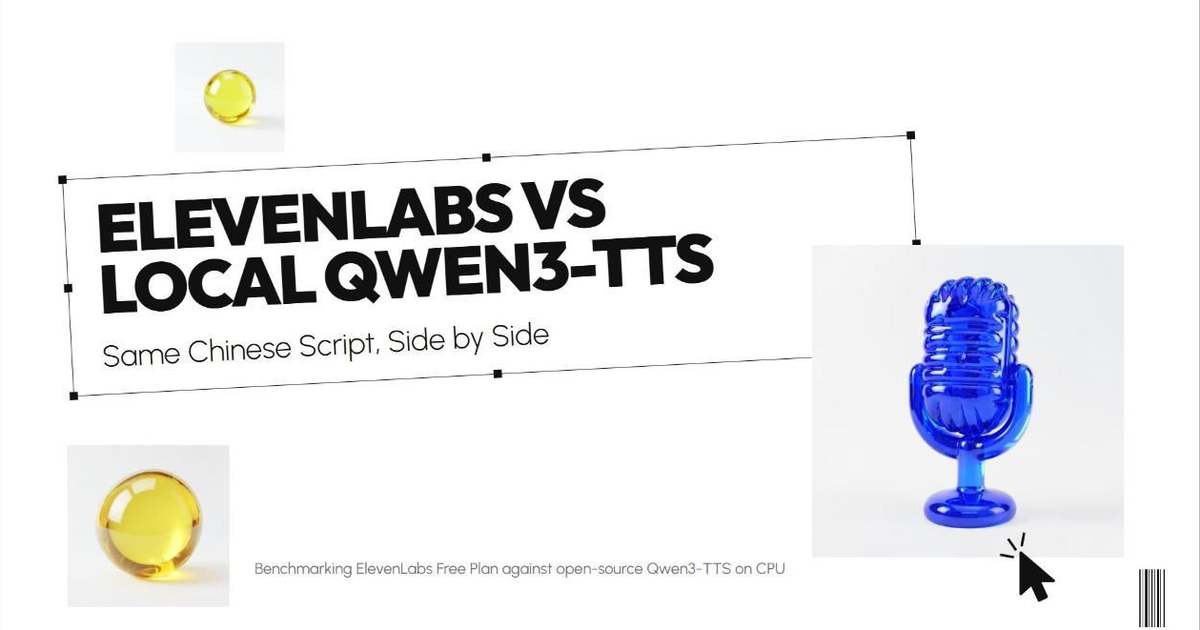
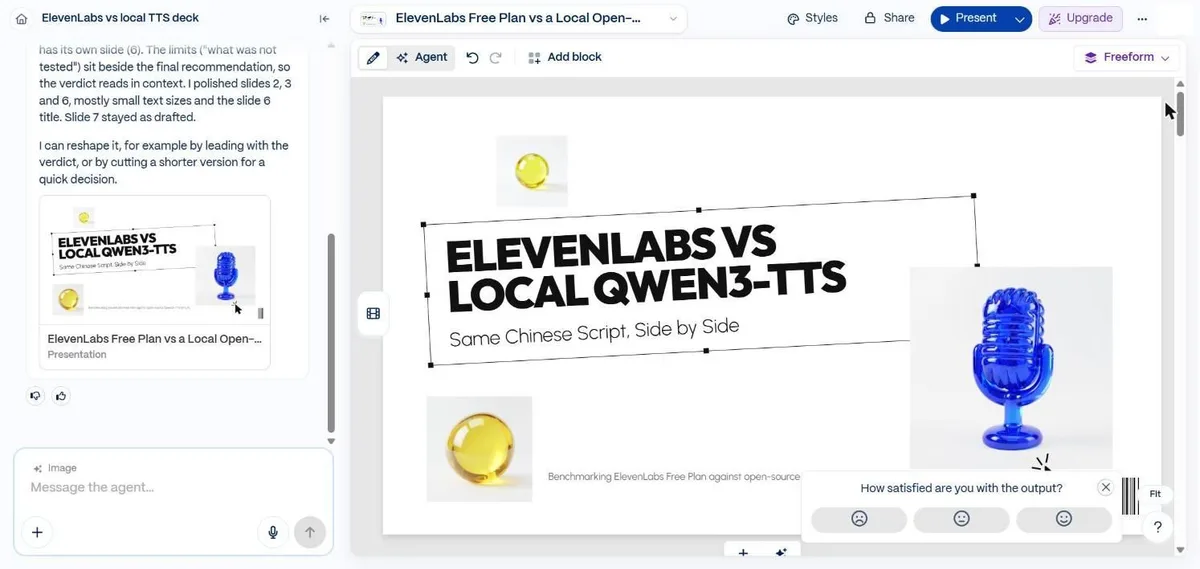
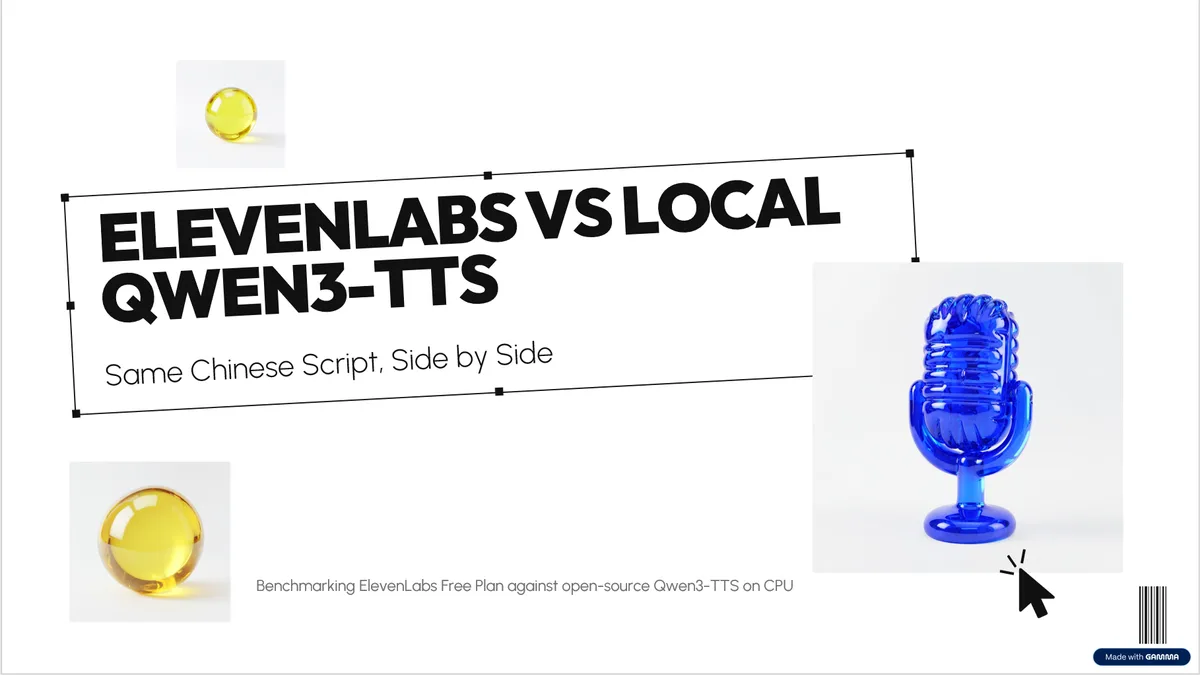
Cover: the title slide Gamma generated in this test. The images on it were made by Gamma.
Key takeaways
- From pasted article to a finished 10-slide deck took about two and a half minutes in English, including one error that a page refresh fixed, and about three minutes in Chinese.
- The results table came through with every number right in both languages. Elsewhere the agent added claims my article never made, such as "22x faster", and then told me it had added nothing.
- Asking the agent to fix one slide worked: it changed only that slide, in under a minute, and showed the original and the edit side by side.
- On the free plan a deck cost me about 130 to 140 of the 400 signup credits, Gamma stops at 10 slides per prompt, and every exported slide carries a "Made with Gamma" badge.
On this page
I wanted to know whether Gamma could turn something I had already written into slides I would actually present, without me rewriting it first. So I gave it a real document: my ElevenLabs vs Qwen3-TTS test, with its methods, its seven-version results table and its caveats. Then I read every slide against the original.
I used a new account on the free plan. When I logged in, Gamma opened with an announcement for Gamma 5, which it calls its biggest update so far: an agent you chat with now plans, writes and designs the whole thing.

What I gave it
The home screen asks “What should we create together?” and offers Presentation, Document, Carousel, Image, Beautify and Import. A balance in the top corner showed 400 credits. Next to the prompt box is an effort setting with three levels: Lite, Standard and Max, where Max needs the Pro plan and more effort uses more credits. I left it on Standard.
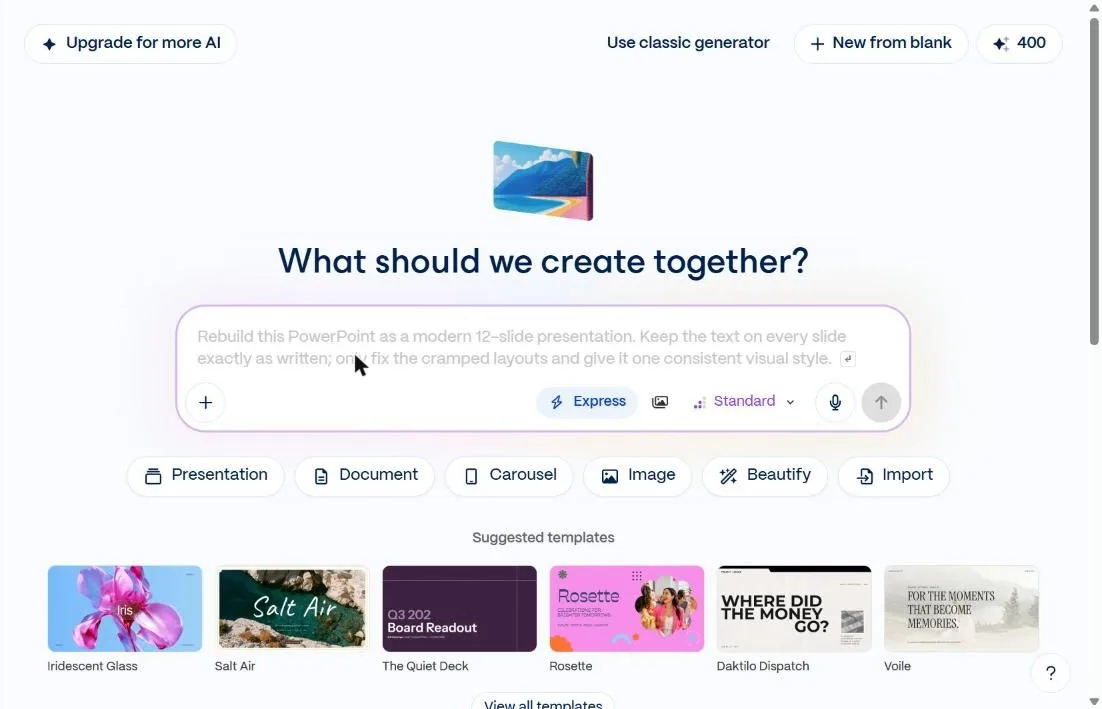
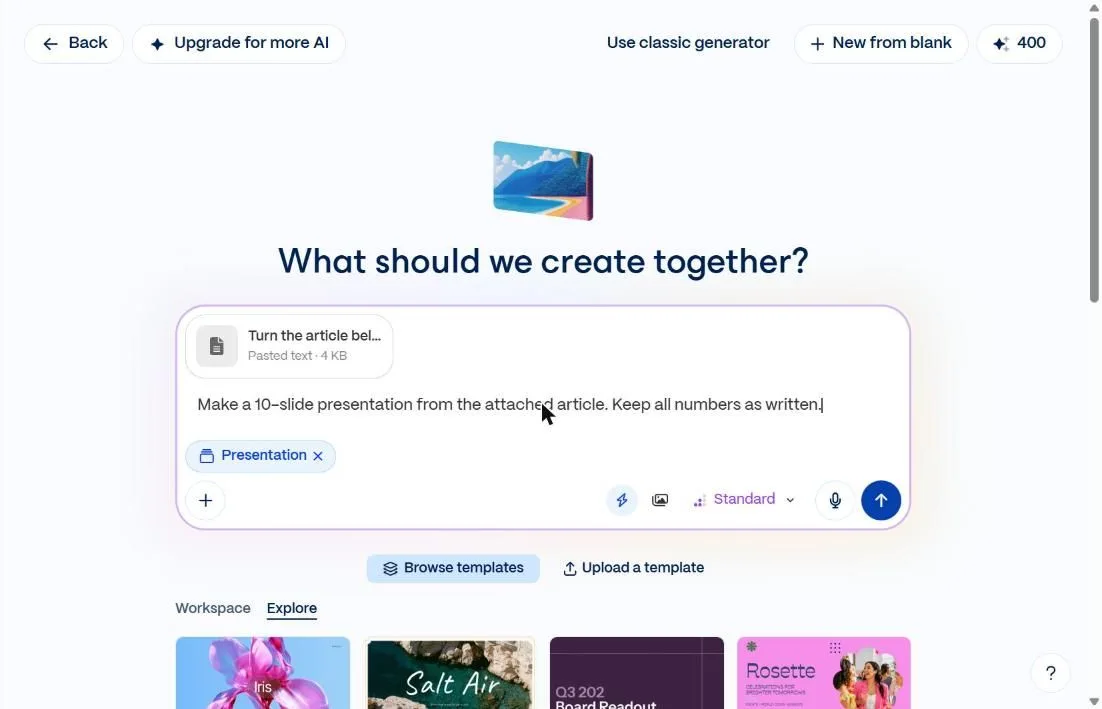
I picked Presentation and pasted the article, about 4 KB of text with my instructions at the top: ten slides, keep every number and conclusion, add no facts that are not in the article, and give the results table its own slide. Gamma turned the long paste into an attachment called “Pasted text”, so I added one line in the box itself: “Make a 10-slide presentation from the attached article. Keep all numbers as written.”
The first try failed, the refresh worked
Sending it gave me a cat with a magnifying glass and “Couldn’t open chat. Refresh the page to try again.”

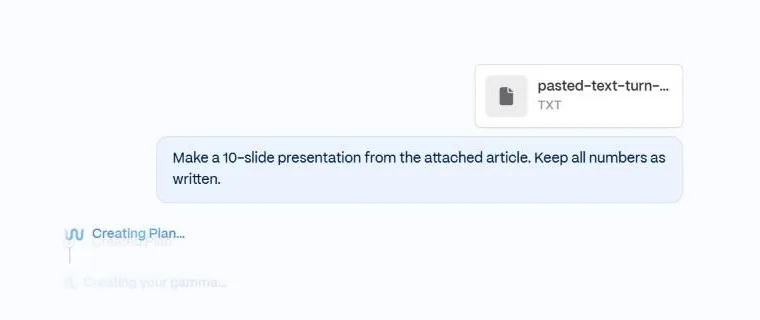
After a refresh the job was already running. The agent named the deck “ElevenLabs vs local TTS deck”, showed “Creating Plan” and then “Creating your gamma”.
Before it finished, it posted a note saying the first draft was done and it was going over it again, because a few lines were smaller than the text around them, one title didn’t match the others and one panel sat off the margin. Then it reported that the deck was ready, that it had kept every number and conclusion as written, and that the results table was on slide 6. From pressing send to that message took about two and a half minutes, refresh included.
Checking the slides against the article
The style it chose is called Freeform: heavy black headlines, a decorative selection box with corner handles around the title, a cursor icon, a barcode, and glossy AI images of a blue glass microphone and yellow glass spheres. Every slide also repeats the full article title in tiny spaced capitals at the top, which looks odd at that length.
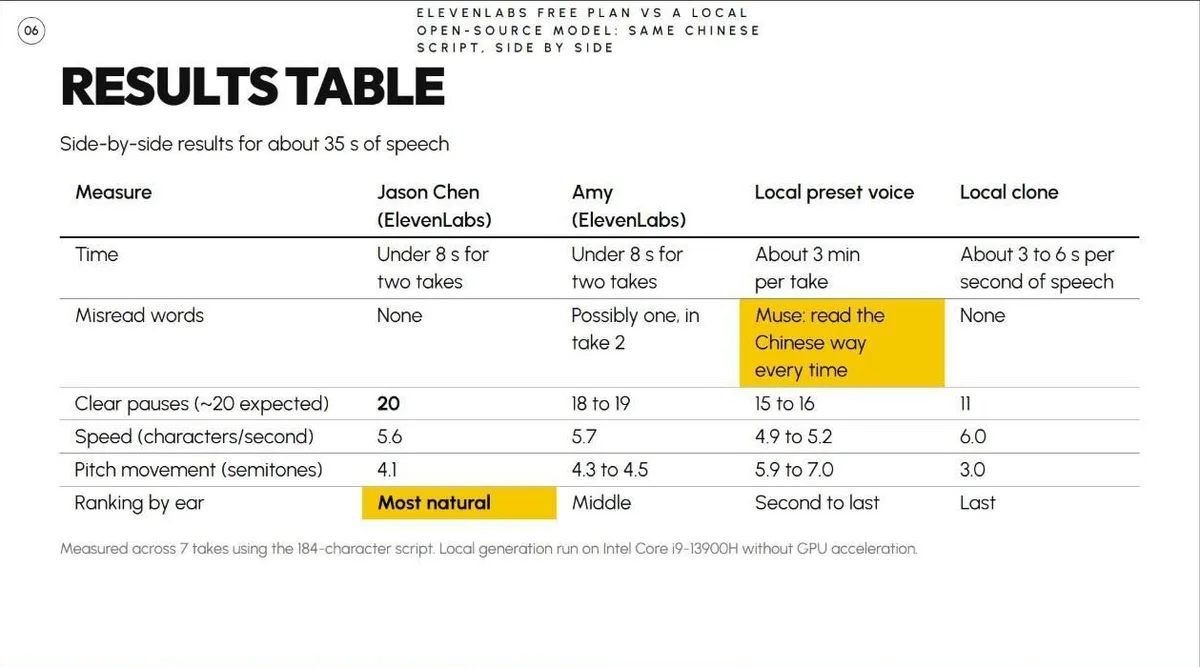
The results table is the slide I expected to break, and it was perfect. Every cell matched my table, and it highlighted the “Most natural” ranking and the preset voice’s misread English name.
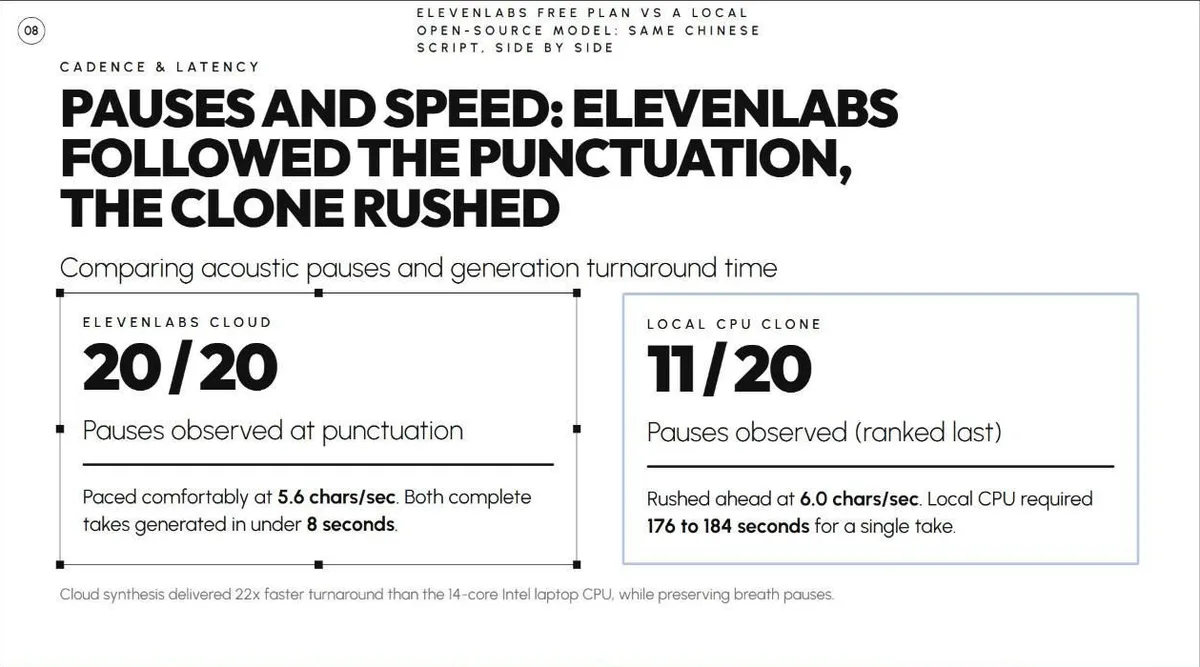
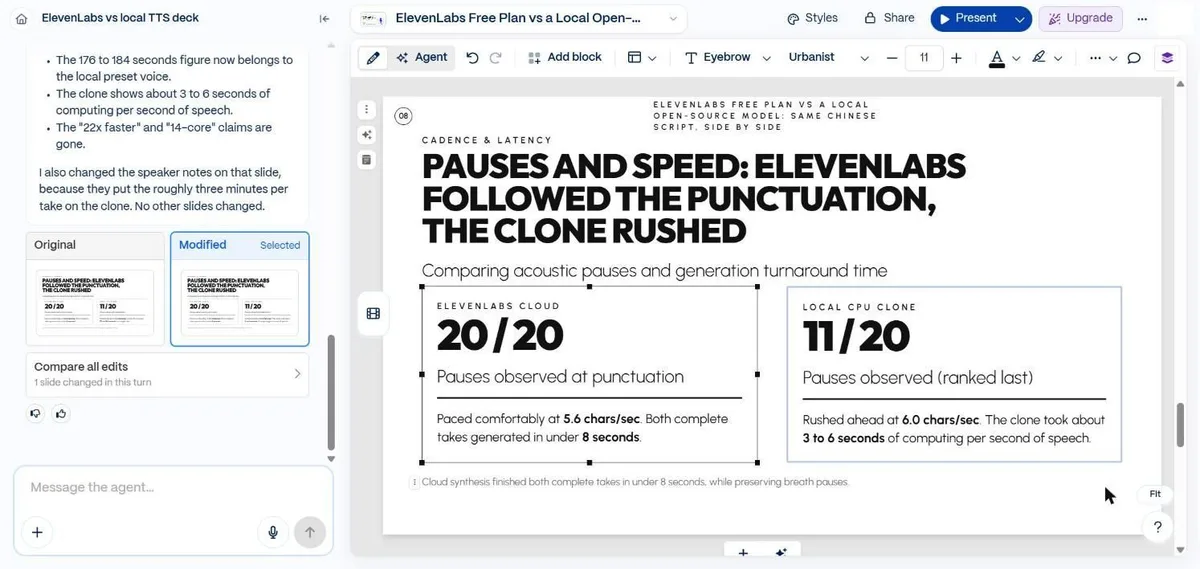
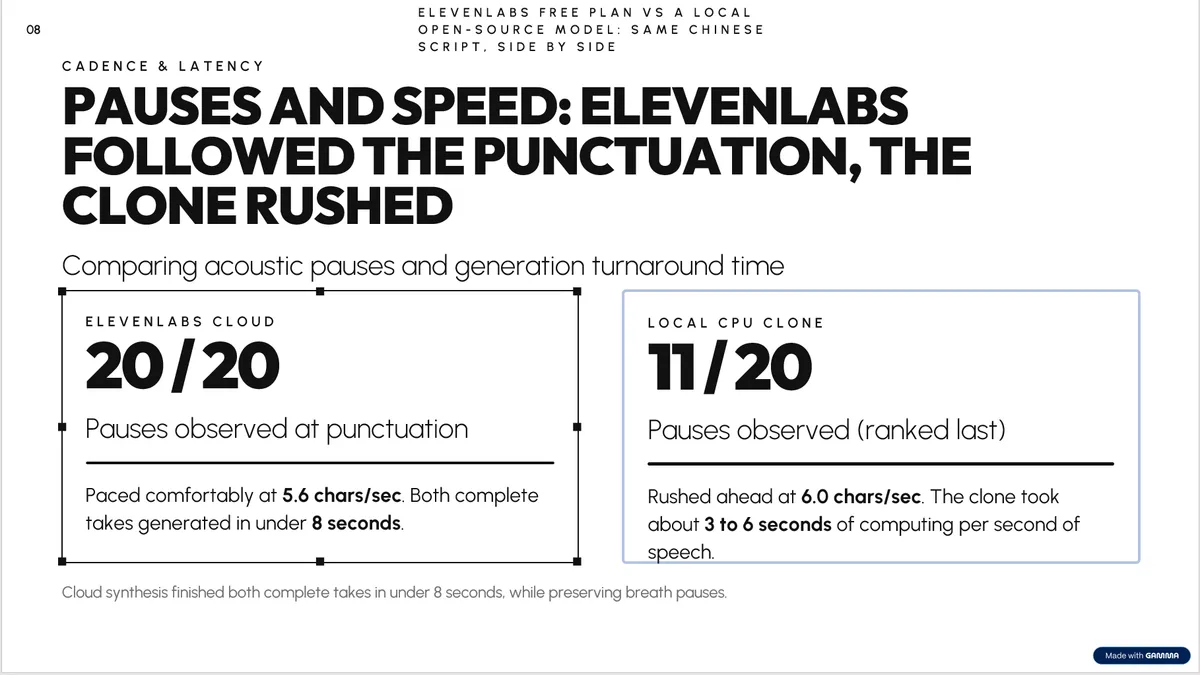
Slide 8 was wrong in two ways. It put the 176 to 184 seconds per take under the cloned voice, when that figure belongs to the preset voice; the clone’s figure is 3 to 6 seconds of computing per second of speech. It also ended with “Cloud synthesis delivered 22x faster turnaround than the 14-core Intel laptop CPU”. My article contains neither “22x” nor “14-core”. The second is true of that processor, and the first is arithmetic the agent did on its own, but I had asked for no added facts, and the summary told me it had kept to the article.
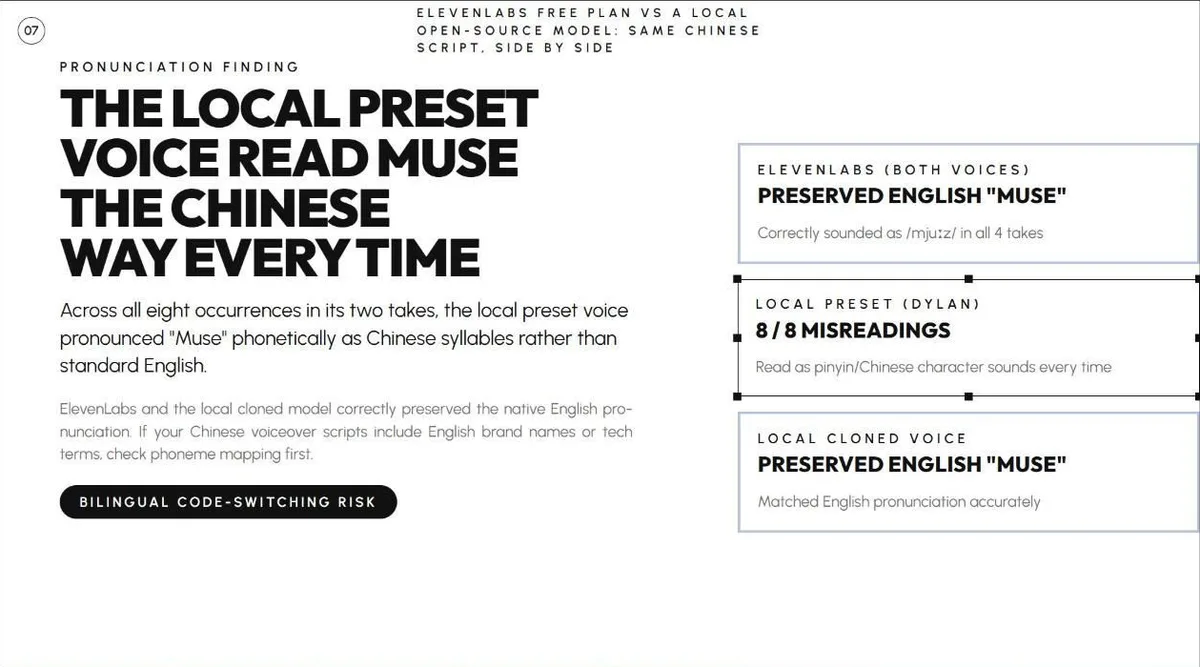
Slide 7 had a layout problem: the three boxes on the right run into the edge of the slide. The agent’s own note said it had left slide 7 as drafted. The other slides held up, apart from small additions such as an IPA spelling of “Muse”.
Asking it to fix one slide
I told the agent what was wrong with slide 8, gave it the correct figure and asked it to change only that slide. It replied with its plan, and less than a minute later it was done. The clone’s box now said 3 to 6 seconds of computing per second of speech, and both added claims were gone. It also corrected the slide’s speaker notes, which had repeated the same mix-up, and confirmed that no other slides changed.
The panel then showed the original and the modified slide side by side, with the new one selected and a “Compare all edits” link. If the fix had been wrong, I could have picked the original back.
The same test in Chinese
My readers include Chinese speakers, so I ran the Chinese version of the article through the same steps. The agent replied in Chinese, named the deck 中文AI配音测评 and finished in about 175 seconds. Chinese text rendered cleanly in a different style, with soft 3D illustrations, and the results table was again correct.
It also hit the free plan’s limit. The agent had planned 11 slides, the free plan creates at most 10, and the slide it dropped was the last one, “What I did not test”. The agent said so plainly, and a banner offered an upgrade to finish the deck.

The Chinese deck added more than the English one. Slide 4 described a blind test with the seven audio files shuffled at random, when I had simply listened to them one after another. Slide 7 gained a “core conclusion” in bold that I never wrote, saying that realism in voiceover comes from the breathing room between punctuation marks. Slide 8 calculated a “22.5x” efficiency gap and said ElevenLabs runs on a cloud cluster. The agent’s summary again said it had added nothing beyond the article.

Exporting to PowerPoint
The export panel offers PDF, PowerPoint, Google Slides and PNGs, at Basic, Standard or Detailed quality. “Hide Made with Gamma badge” is a Plus feature. The panel also suggests installing two fonts, Outfit and Urbanist, and warns that gradient text and frosted backgrounds fall back to simpler styles in PDF and PowerPoint.
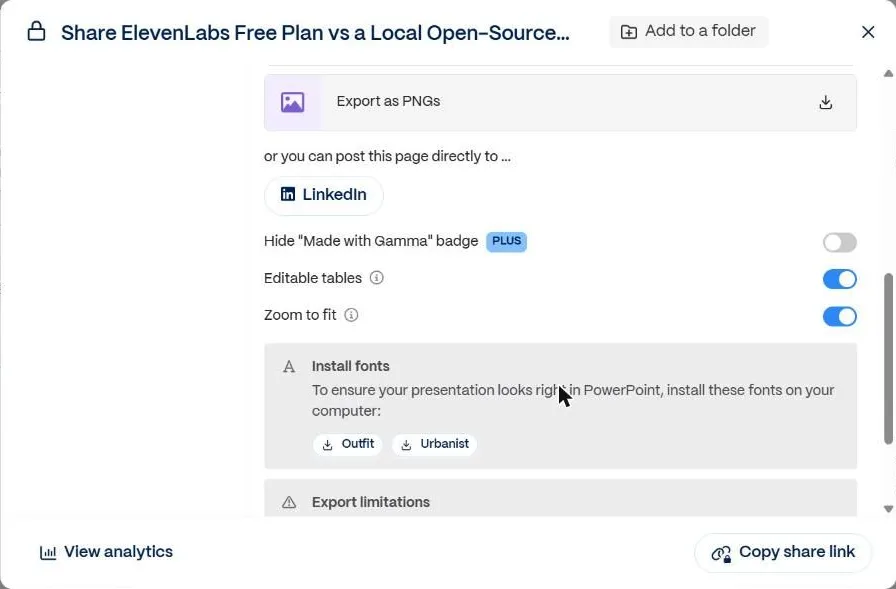
The PowerPoint file took under half a minute and came to 2.36 MB. Inside were 10 slides of editable text, a real PowerPoint table on slide 6, speaker notes on every slide and the six font files embedded, so it displayed correctly in PowerPoint without installing anything.
Every slide had the “Made with Gamma” badge in the bottom right corner. The title wrapped differently from the web version, so the decorative box no longer lines up with the text.
On slide 8 the corrected sentence is longer than the original, and in PowerPoint its last word spills just below the box.
What the free plan gets you
The balance went from 400 to 270 after the English deck and the one-slide fix, then to 131 after the Chinese deck, so a 10-slide deck cost me 130 to 140 credits. That is about three decks from the signup credits. The credit panel says upgrading gets you credits that refresh monthly; according to Gamma’s pricing page, the free plan’s 400 come once, at signup.
On the pricing page on November 3, 2026, Plus cost $12 a month, or $9 a month billed yearly, for 1,500 credits a month, up to 100 slides per prompt and no Gamma branding. Pro cost $25, or $18 billed yearly, for 4,000 credits a month, better image models and custom branding.
Would I use it?
For a first draft of a deck from my own writing, yes. It took a long article and produced a structured, good-looking deck faster than I could pick a template, and the hardest slide, the table, was exact. The fix-one-slide request was the best part of the test.
What I wouldn’t do is present it unchecked. In both languages it added numbers and conclusions I never wrote, and its own summary said it hadn’t, so the summary is no substitute for reading every slide against the source. The free credits are enough to try that on two or three of your own documents before paying. I tested only the Presentation mode, Standard effort and one article in two languages.
Tools in this article

AI tool that turns a prompt or a document into a presentation, document or web page. In version 5 you build it by chatting with an agent.
Turned my article into a good-looking 10-slide deck in under three minutes and got the results table exactly right. It also added claims my article never made, so check every slide against your source.
- 10 slides from a pasted article in about 2.5 to 3 minutes
- Fixes one slide on request and shows the before and after
- PPTX export keeps editable text, a real table, speaker notes and the fonts
- Added numbers and conclusions that were not in the source, then said it had not
- Free plan: 400 credits at signup, 10 slides per prompt, a “Made with Gamma” badge on exports
- The first try failed with “Couldn’t open chat” until I refreshed