Canva AI vs Gamma for Presentations: Signup, Prices, Ease of Use, Results and API
I made the same 10-slide deck with Canva AI and Gamma on their free plans, in English and Chinese, and compared signup, plans, ease of use, results and API access.
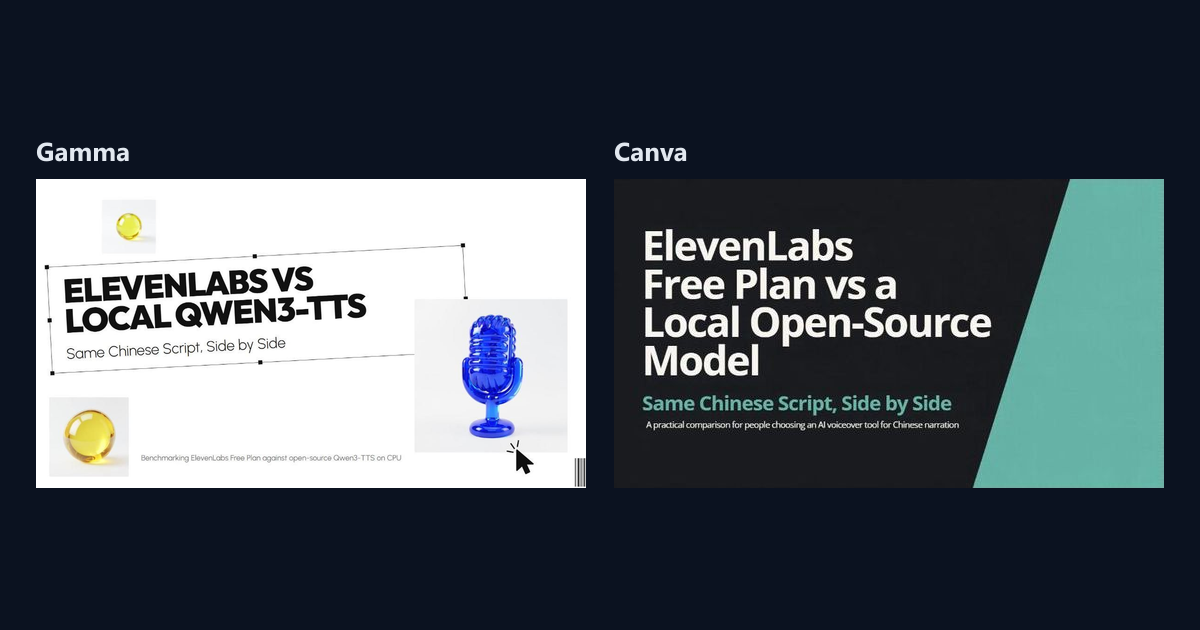
Cover: the title slides Gamma (left) and Canva (right) generated from the same article in this test.
Key takeaways
- Both start free without a card. Canva's free AI allowance resets every month, while Gamma's 400 signup credits come once. The cheapest paid plans are Canva Pro at $18 a month and Gamma Plus at $12.
- Canva's slides looked better and added nothing in English, but it never produced a complete results table. Gamma's tables were right in both languages, but it added claims the article never made.
- Gamma's API works on every plan and spends credits. Canva has REST APIs for developers and a connector for ChatGPT, Claude, Gemini and Copilot.
This article contains affiliate links. This site is an independent affiliate of Gamma and may earn a commission if you sign up or buy through these links. The price you pay is the same. How they work
I asked Canva AI and Gamma to turn the same article, my ElevenLabs vs Qwen3-TTS test, into a 10-slide deck, once in English and once in Chinese. Both got identical instructions: keep every number and conclusion, add nothing, and put the results table on one slide. I used the free plans and read every slide against the article. More on Gamma alone is in my Gamma 5 review.
| Canva AI | Gamma | |
|---|---|---|
| Signup | Email, Google, Apple, Facebook, Microsoft and more; no card for Free | Google, Apple, or email and password; no card for Free |
| Free plan | Limited AI that resets monthly (about 5 tasks in my test); exports without branding | 400 credits once (about 3 decks); 10 slides per prompt; “Made with Gamma” badge |
| Cheapest paid plan | Pro $18/month, or $144/year | Plus $12/month, or $9/month billed yearly |
| Ease of use | One prompt, nothing to set; about a minute per deck | One prompt plus an effort setting; about 2.5 minutes; one error fixed by refreshing |
| Completeness | English numbers all right, but no single results table; 7 of 24 table cells empty in Chinese | Tables right in both languages; last Chinese slide cut by the 10-slide cap |
| Accuracy | Nothing added in English; one changed term and one extra sentence in Chinese | Added claims in both languages |
| Looks | One consistent theme, no images; the better layout in my view | AI images and decorative elements; one slide ran off the edge |
| Readability | Big highlighted numbers; results split over two slides; no speaker notes | Real table; speaker notes on every slide |
| API | REST APIs for developers; AI Connector for ChatGPT, Claude, Gemini and Copilot | Public API on all plans, paid with credits; works with Zapier and Make |
Signing up
Both let you start free without a card. Canva accepts email (with a verification code), Google, Facebook, Apple, Microsoft, a work email, and even a ChatGPT account. Gamma supports Google, Apple, or email and password, and on first login it asked a few quick questions about how I’d use it, my team size and how I found it. Neither accepts disposable email addresses.
Plans and prices
US prices from both official pricing pages in November 2026.
Canva
- Free: limited AI allowance that resets monthly
- Pro: $18 a month or $144 a year, 10x the free AI allowance, with a free trial
- Business: $25 a month or $250 a year per person, 20x the free AI allowance
- Enterprise: by quote
Gamma
- Free: 400 credits at signup, once; up to 10 slides per prompt
- Plus: $12 a month or $108 a year, 1,500 credits a month, no Gamma badge
- Pro: $25 a month or $216 a year, 4,000 credits a month
- Ultra: $100 a month or $1,080 a year, 20,000 credits a month
- Business: $40 per seat per month billed yearly ($480), 10,000 credits per seat; Enterprise by quote
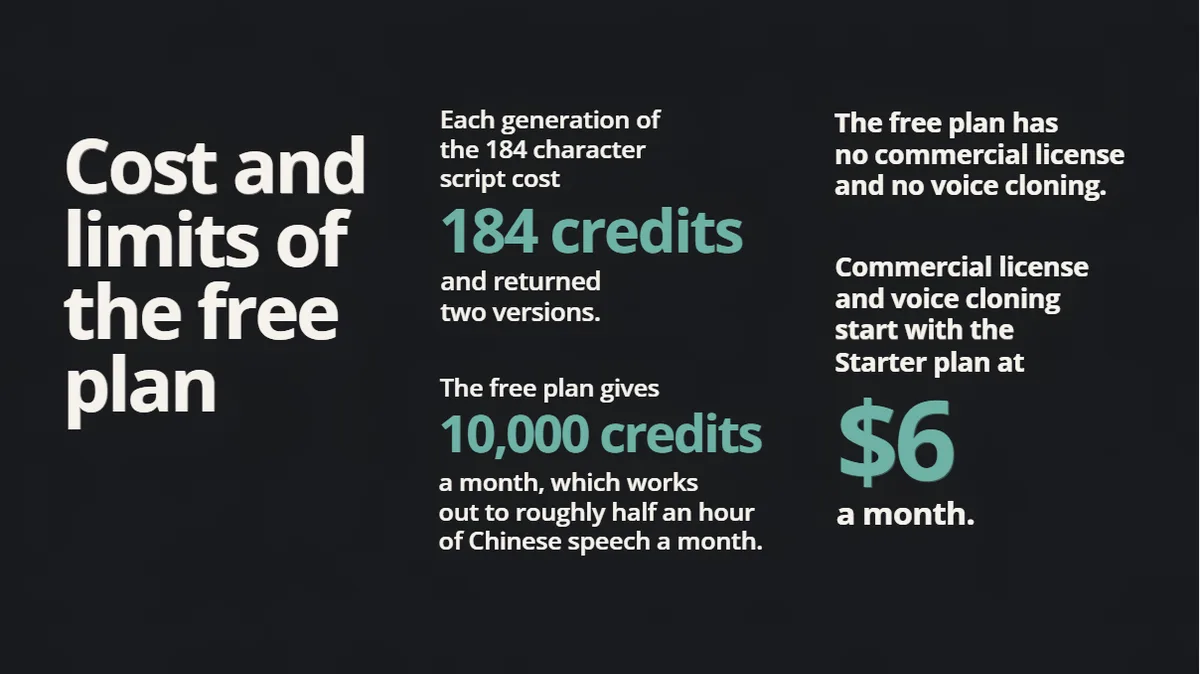
If you stay on the free plans, Canva’s AI allowance comes back every month and Gamma’s credits don’t. In my test, each Canva generation or edit used 20% of the month’s allowance, and each Gamma deck used 130 to 140 credits.
Ease of use
Both start from a single prompt box. In Canva I clicked Presentation, pasted the article and had 10 slides in about a minute, with no outline step and nothing to set. Gamma adds an effort setting (Lite, Standard, Max) and an agent that plans, builds and reviews its own draft. It took about two and a half minutes, including one “Couldn’t open chat” error that a refresh cleared.
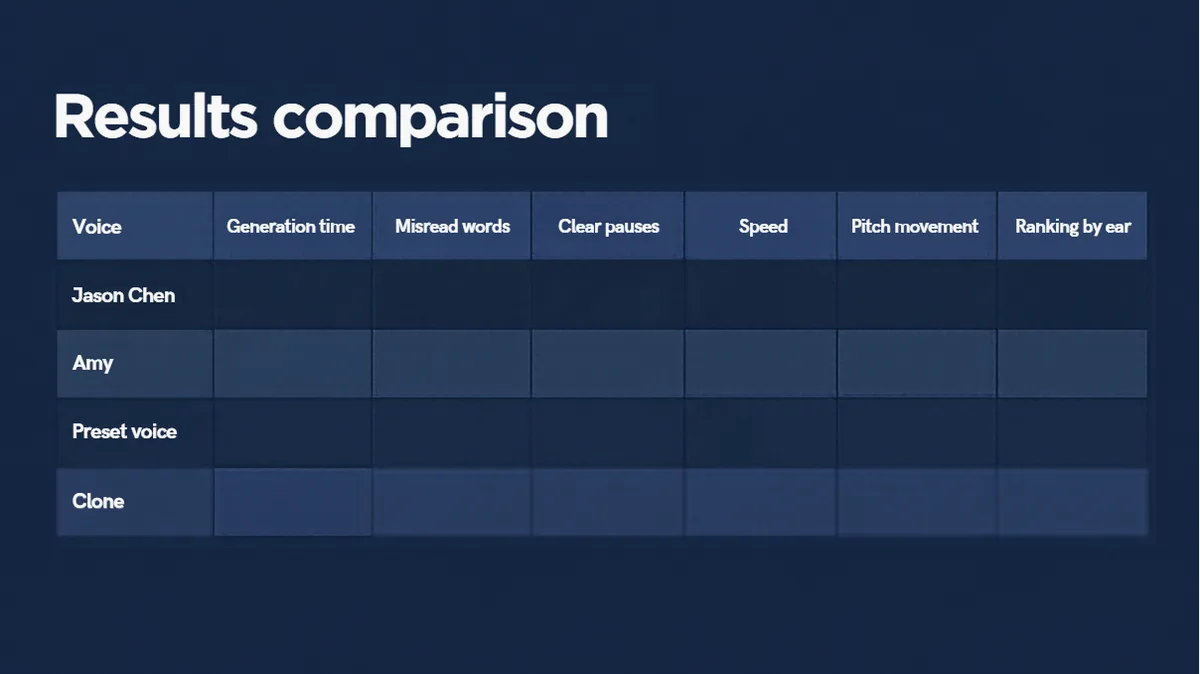
Editing by chat is where they split. Gamma fixed a wrong slide in under a minute and showed the old and new versions side by side. Canva merged two slides into a table in 47 seconds but left every data cell empty, and filling them needed a paid plan: “completing this task requires a premium feature.” You can still edit everything by hand in Canva’s editor.
Results
Completeness and accuracy
Canva kept every number in English and added nothing, but it split the results into cards over two slides instead of one table. Its summary still claimed “A results table with all numbers preserved as written”. In Chinese it did make a one-slide table, with 7 of the 24 cells empty, all of them single numbers. It also changed 音高起伏 (pitch movement) to 高音起伏 (high-pitch movement) and added a closing line the article doesn’t have.
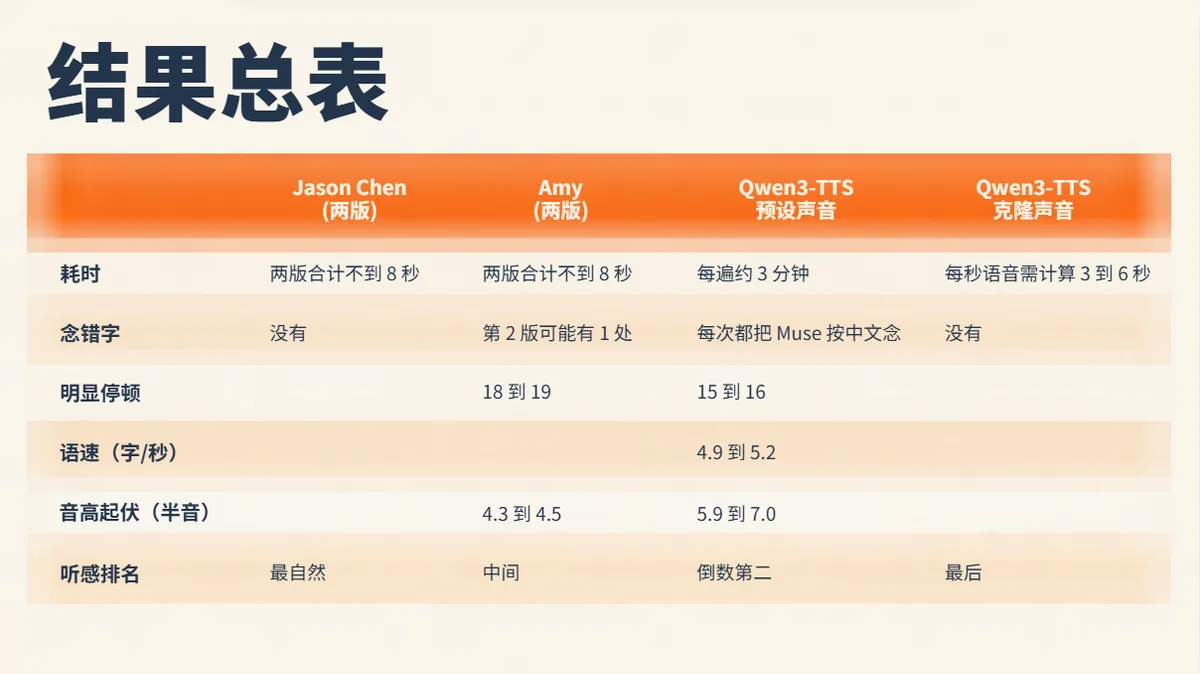
Gamma’s tables were right in every cell in both languages. It added claims instead: “22x faster” and “14-core” in English, along with one timing figure placed under the wrong voice, and in Chinese a blind test I never ran, a “core conclusion” and a “22.5x” figure. The free plan’s 10-slide cap also cut its last Chinese slide, “What I did not test”.
Looks
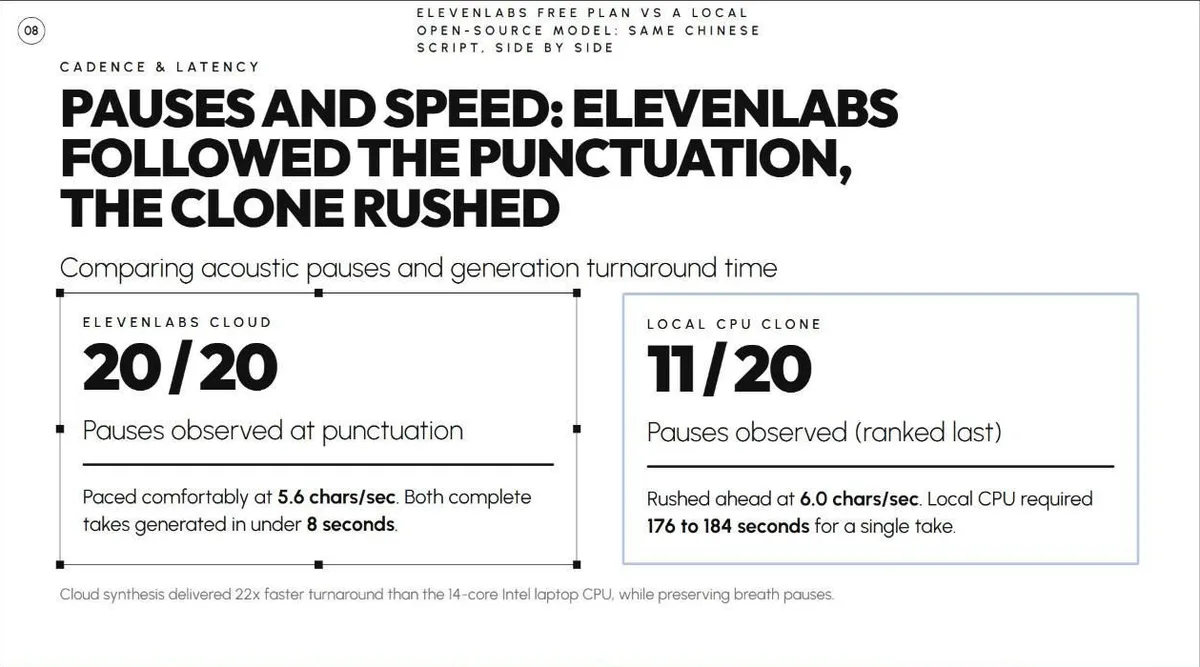
Canva used one theme per deck, charcoal and teal in English, cream and orange in Chinese, with no images at all. Its flaws were small: doubled bullets on one slide, a gap in one title, and a merged table that came in a different navy style. Gamma’s Freeform style adds AI images, a decorative selection box and a cursor icon, and repeats the full article title in tiny letters on every slide. One of its slides ran three boxes off the right edge. Overall, Canva’s layout looks better to me.
Readability
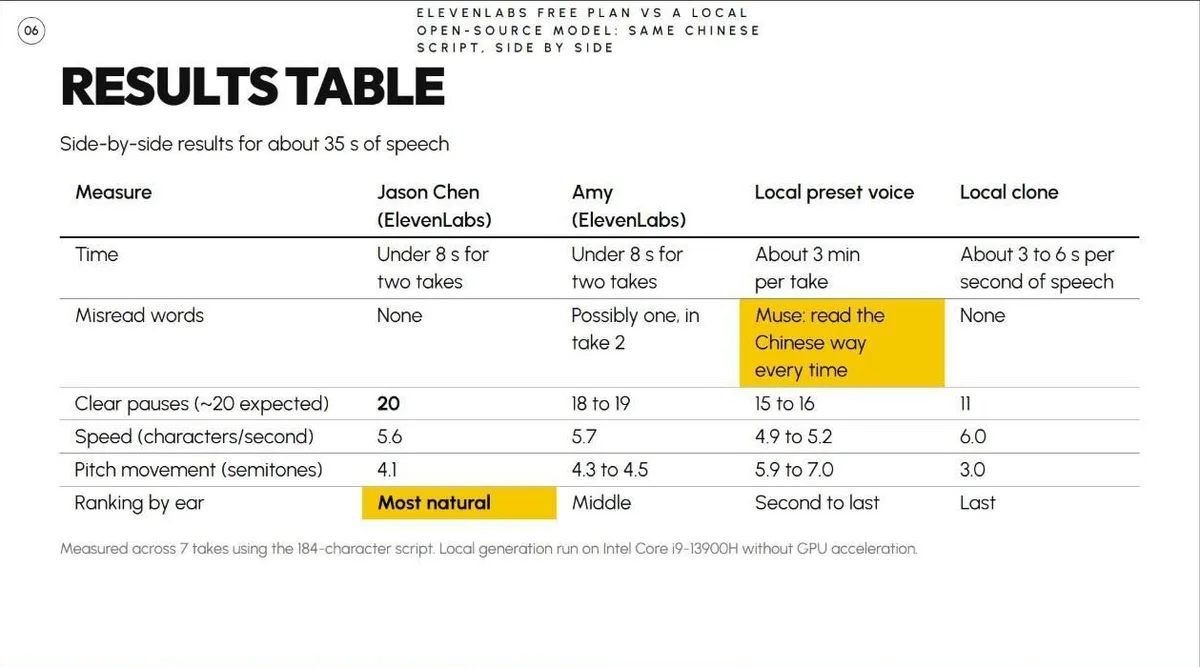
Canva keeps most of the article’s sentences, shortened, and makes key numbers such as “176 to 184” and “$6” very large. With the results spread over two slides of cards, you can’t compare all four voices at a glance the way you can in Gamma’s table. Chinese text rendered cleanly in both.
Both export editable PPTX files. Canva’s came to 18.1 MB with no branding and no speaker notes, and its table was a set of boxes and small images. Gamma’s was 2.36 MB with a real PowerPoint table, speaker notes on every slide and a “Made with Gamma” badge on each one.
API and integrations
I didn’t test either API; this comes from the official pages. Gamma’s public API is available on every plan, Free included, spends your AI credits, and can be used through no-code tools such as Zapier and Make. Canva offers REST APIs for developers to create designs, upload assets and export files, plus an AI Connector that lets ChatGPT, Claude, Gemini or Microsoft Copilot work in your Canva account. The connector works on Free, generating designs through it uses your Canva AI allowance, and Autofill (filling templates with your data) needs a paid plan.
Which one to choose
Each has its strengths. Canva’s slides look better laid out; Gamma is simpler and smoother.
- Choose Gamma if your deck depends on a correct data table, you want to fix slides by asking, you need speaker notes, or you want to generate decks through an API.
- Choose Canva if looks matter most, you’ll polish the slides by hand, you already use Canva for other design work, or you want free exports without branding. Fill in the numbers yourself.
Whichever you pick, read every slide against your source before you present it. Both tools told me they had kept everything and added nothing, and neither had.
Tools in this article

AI tool that turns a prompt or a document into a presentation, document or web page. In version 5 you build it by chatting with an agent.
Turned my article into a good-looking 10-slide deck in under three minutes and got the results table exactly right. It also added claims my article never made, so check every slide against your source.
- 10 slides from a pasted article in about 2.5 to 3 minutes
- Fixes one slide on request and shows the before and after
- PPTX export keeps editable text, a real table, speaker notes and the fonts
- Added numbers and conclusions that were not in the source, then said it had not
- Free plan: 400 credits at signup, 10 slides per prompt, a “Made with Gamma” badge on exports
- The first try failed with “Couldn’t open chat” until I refreshed

Online design tool for slides, social posts, documents and video. Canva AI builds a whole design, such as a presentation, from a prompt or a pasted document.
Turned my article into a good-looking 10-slide deck in about a minute and added nothing in English. It never got the results table right on the free plan, so plan to fix data slides by hand.
- 10 slides from a pasted article in about a minute, 83 seconds in Chinese
- Free PPTX export with no Canva branding
- AI allowance resets every month
- Split the results table into cards in English and left 7 of 24 cells empty in Chinese
- Asked to merge into one table, it produced empty cells; filling them needed a paid plan
- Each generation or edit used 20% of the free monthly AI allowance; PPTX had no speaker notes