How I Clone My Own Voice on a Laptop With No GPU (Qwen3-TTS)
I wanted narration in my own voice without recording every line. This is the setup that worked on a CPU-only Windows laptop, the setting that made my clone sound choppy, and how I pick the best take.
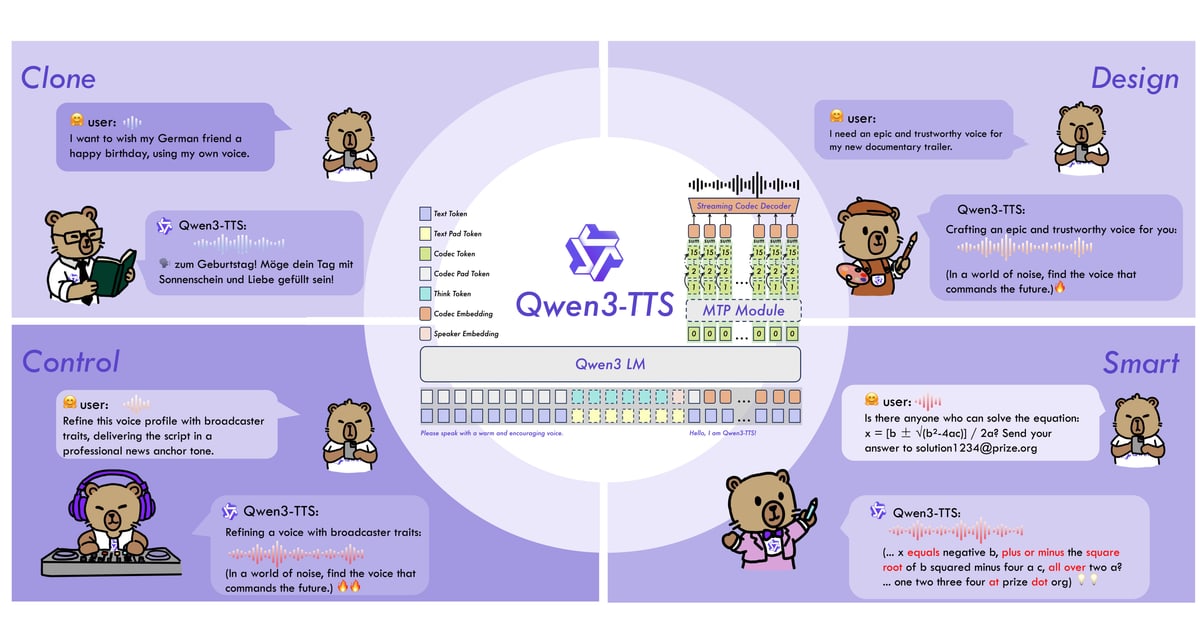
Cover: official Qwen3-TTS introduction graphic from the Qwen team's GitHub repository.
Key takeaways
- A laptop with no GPU can run Qwen3-TTS voice cloning. Expect 3 to 6 seconds of computing per second of speech.
- Use reference clips of 7 to 15 seconds. About 30 seconds in total was enough for me.
- If your reference is casual talking, use x-vector only mode, or the clone will copy your hesitations.
- Generate 3 to 5 takes per line and pick by where the pauses fall.
On this page
I post short animated videos that explain AI topics, narrated in Chinese. Recording the narration was the slowest part of every video. I stumble, re-record, and takes from different days don’t sound the same. I wanted to type the script and get narration in my own voice.
Claude Code, an AI coding assistant, set this up on my laptop. I described what I wanted, listened to the results and made the calls. You can skip the code blocks; the settings that mattered are explained in plain words.
What I used
The model is Qwen3-TTS-12Hz-1.7B-Base, an open-source text-to-speech model from Alibaba’s Qwen team (Apache-2.0 license, code at github.com/Qwen/Qwen3-TTS). The “Base” version is the one that clones voices. I downloaded the weights from ModelScope, which was by far the fastest source where I live.
It runs through the qwen-tts Python package, version 0.1.1, in a Python 3.11 virtual environment. My system Python was newer than the machine-learning packages supported, so a separate 3.11 environment saved a lot of trouble.
Everything runs on the CPU in float32, with no CUDA and no NVIDIA card.
Step 1: Reference audio from a recording I already had
I didn’t record anything new. I had a long screen recording where I was talking, and I cut three clips from it, about 33 seconds in total.
Longer clips sounded more like me. Clips of 7 to 15 seconds gave a clearly closer match than 4-second clips.
If there is music or noise behind your voice, remove it first. On my CPU, the BS-Roformer separation model needed about two hours for three minutes of audio. The Kim_Vocal_2 model in the audio-separator package did the same job in about three minutes.
Step 2: The setting that decides whether it sounds fluent
Qwen3-TTS Base can clone a voice in two ways:
| Mode | What you give it | What it copies |
|---|---|---|
| ICL (the default) | One clip plus its exact transcript | Your voice and the way you spoke in that clip |
| x-vector only | One or more clips, no transcript | Only the sound of your voice |
I started with ICL because it’s the default. The problem was my reference clip: unscripted talking, with hesitations and uneven pace. The clone copied that too. Every line came out with the same stop-start rhythm, and it didn’t sound fluent.
Switching to x-vector only mode fixed it. The model keeps my voice but uses its own steadier pacing, which is what narration needs. Since no transcript is needed, I could also feed it several clips at once.
If your reference is clean read-aloud speech, ICL may be fine. If it’s casual talking, try x-vector first.
This is a simplified version of the script on my laptop:
import numpy as np, soundfile as sf, torch
from qwen_tts import Qwen3TTSModel

torch.set_num_threads(14)  # how many CPU threads to use

model = Qwen3TTSModel.from_pretrained(
    "models/Qwen3-TTS-12Hz-1.7B-Base", device_map="cpu", dtype=torch.float32
)

# Join a few clips of my voice (mono WAV) with a short silence between them
voice, sr = sf.read("my_voice.wav", dtype="float32")
gap = np.zeros(int(0.25 * sr), np.float32)
clips = [(12.0, 23.5), (61.0, 72.7), (130.2, 141.1)]  # start, end in seconds
parts = []
for start, end in clips:
    parts += [voice[int(start * sr):int(end * sr)], gap]
ref = np.concatenate(parts)

# x-vector only: copy the voice, not the rhythm. No transcript needed.
prompt = model.create_voice_clone_prompt(
    ref_audio=(ref, sr), ref_text=None, x_vector_only_mode=True
)

wavs, out_sr = model.generate_voice_clone(
    text=["大家好,今天聊聊怎么用 AI 给视频配音。"],
    language=["Chinese"],
    voice_clone_prompt=prompt,
)
sf.write("line01.wav", wavs[0], out_sr)
For ICL mode you pass one clip, its exact transcript as ref_text, and x_vector_only_mode=False.
Step 3: Make several takes and keep the best one
The same line comes out a little different every time. Some takes pause in the right places, some rush through a comma. So I generate every line 3 to 5 times and pick one.
What I listen for: does it pause at the commas, and does it avoid long gaps in the middle of a phrase. That matters more than small differences in tone.
With twenty-odd lines and several takes each, listening to everything gets tiring. So a script ranks the takes first:
- It transcribes each take with a speech recognizer (Paraformer, for Chinese) and compares it with the script, to catch swallowed or wrong words.
- It measures how close the voice is to a separate sample of my real voice that wasn’t used for cloning (CAM++ speaker verification).
- It counts the pauses and compares them with the commas in the line.
Then I only listen to the top few.
How fast is it on a CPU?
From my logs, generating up to six lines per batch: roughly 3 to 6 seconds of computing for each second of speech. One batch produced 37 seconds of speech in 127 seconds; another produced 24 seconds in 147 seconds.
For a two-minute narration that means about 7 to 12 minutes per take, or roughly half an hour for three takes. It’s slow, but it runs in the background. Loading the model also takes time, so I generate all the lines in one run.
Smaller things that helped
Some Chinese characters have more than one pronunciation, and the model sometimes picks the wrong one. When that happens I swap in a same-sounding character in the text sent to the model and keep the correct word in the subtitles. For example, 长连接 became 常连接, and 回调 became 回掉.
Not every video needs my voice, either. For quick news videos I use a preset voice from the CustomVoice version of the same model, which needs no reference audio.
Only clone voices you have permission to use
Clone your own voice, or a voice whose owner has agreed. Don’t publish a cloned voice of anyone else.
Would a paid service be easier?
Probably. Hosted services such as ElevenLabs need no setup. I have since run the same script through ElevenLabs’ free plan, and its stock Mandarin voices sounded more natural than my clone: ElevenLabs free plan vs a local open-source model.
Tools in this article

Open-source text-to-speech model from Alibaba's Qwen team. It can clone a voice from a short recording.
Good enough for my video narration once I switched to x-vector mode. Free, but slow on a CPU and it needs a Python setup.
- Free, runs on your own computer
- Works on a laptop with no GPU
- Fluent narration in x-vector mode
- About 3 to 6 seconds of computing per second of speech on a CPU
- Needs Python and some setup
- Sometimes misreads Chinese characters that have several readings
- Sounded less natural than ElevenLabs in a side-by-side listen

AI coding assistant from Anthropic that works on your computer. You describe the task in plain language; it writes and runs the code.
This site and the scripts in the voice-cloning test were built with it. You describe the job in plain language, check the result and ask for changes.
- Turns plain-language requests into working scripts
- Runs the code and fixes its own errors
- Useful beyond coding: documents, video pipelines
- Paid
- You still have to check its work
- Long jobs can use up the usage limit, then you wait for it to reset